Screen List
Scenarios
View the information of the screens bound to VNNOX Standard and manage the screens.
Operating Procedure
- From the menu bar, choose Screens > Screen List.
Figure 1. Screen management 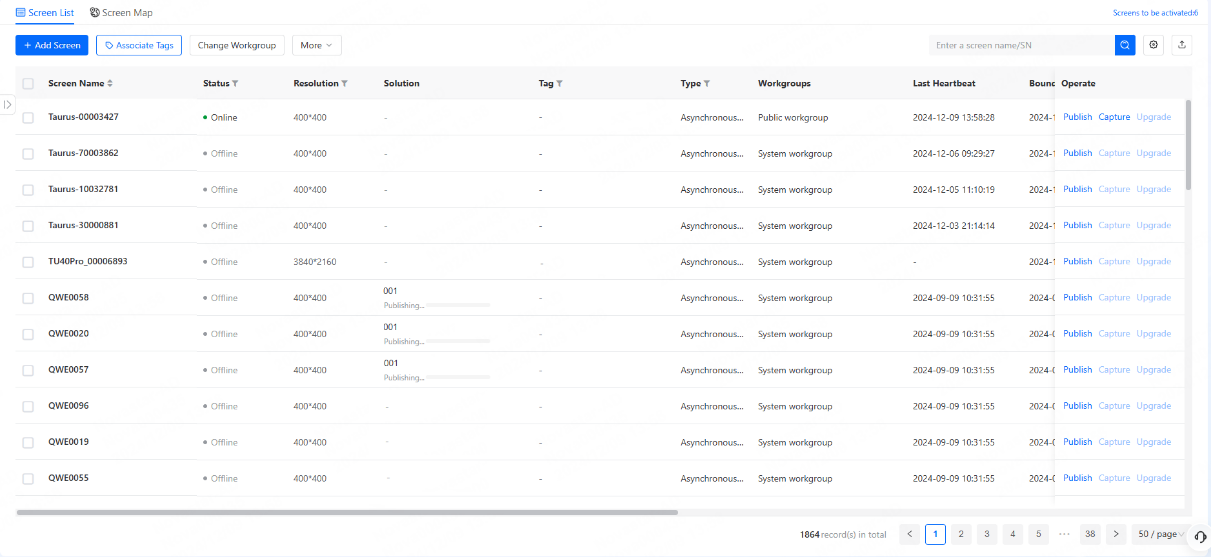
- After successful binding, view the information of the target screen in the screen list.
At the top right of the page, you can click
 to select information to display
and click
to select information to display
and click  to export all the information of the target screens. In addition, you can
click a screen name to view all the basic information of the screen and the
solution currently being played on the screen.
to export all the information of the target screens. In addition, you can
click a screen name to view all the basic information of the screen and the
solution currently being played on the screen.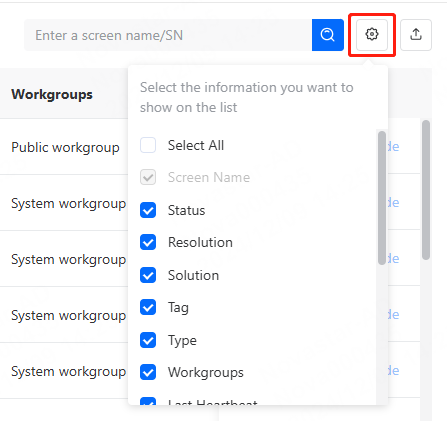
- In the screen list, do the following as needed.
- Publish: Publish solutions and schedules to the screen
- Capture: Capture a screenshot of the playing content on the screen.
- Upgrade: Remotely upgrade the software and system of the screen to the latest version. The upgrade progress is displayed. If upgrade fails, the causes will be displayed.

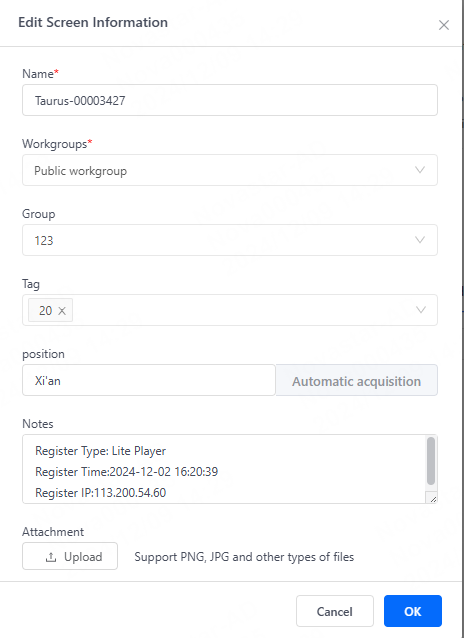
- (Optional) Click Edit on the right of the basic info page to edit the
screen information.