Media Server List
Scenarios
Media servers can be bound to VNNOX on the registration page of the multimedia playback software.
Operating Procedure
- From the menu bar, choose Screens > Media Server List.
- After a media server is bound successfully, view the information of the media server on the
list.
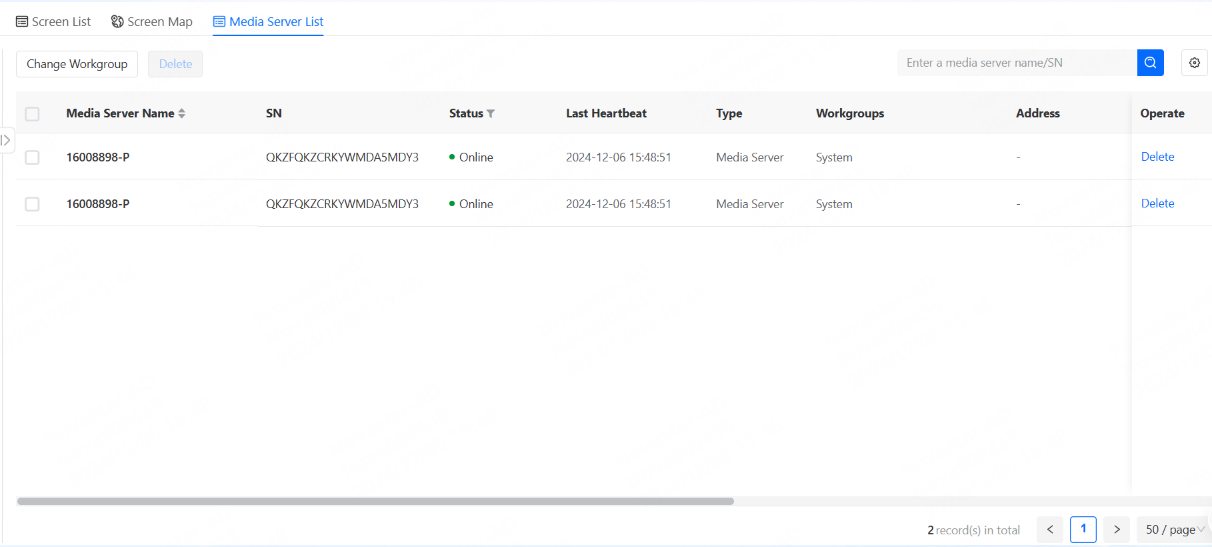
- At the top right, click
 to
select the information to be displayed on the list. You can also click a media
server name to view all the basic information of the media server.
to
select the information to be displayed on the list. You can also click a media
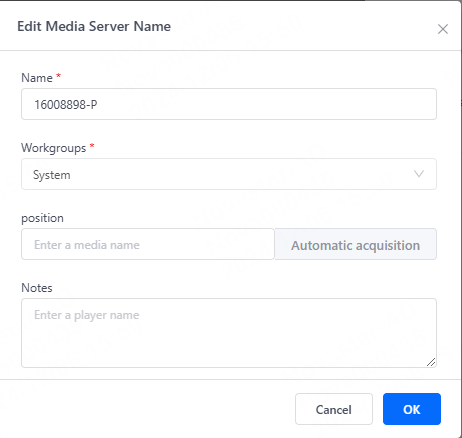
server name to view all the basic information of the media server. - (Optional) To modify the media server information, click Edit on the
right.
- (Optional): To remove a device, click Delete under the Operate column. Once deleted, the device will no longer be bound to the registered account.