Brightness Control
Scenarios
Adjust brightness manually or set rules for smart brightness adjustment.
Operating Procedure
- From the menu bar, choose Control.
- Click Brightness Control.
- On the left of the page, select the target online player.
- Do the following as needed.
- Real-time control: Adjust the screen brightness by dragging the slider
or entering a number and then click Apply.
Figure 1. Real-time brightness control 
- Scheduled control: In the Scheduled Control area,
click

- Set the command parameters, click OK, and then
click Apply.
Figure 2. Scheduled brightness control 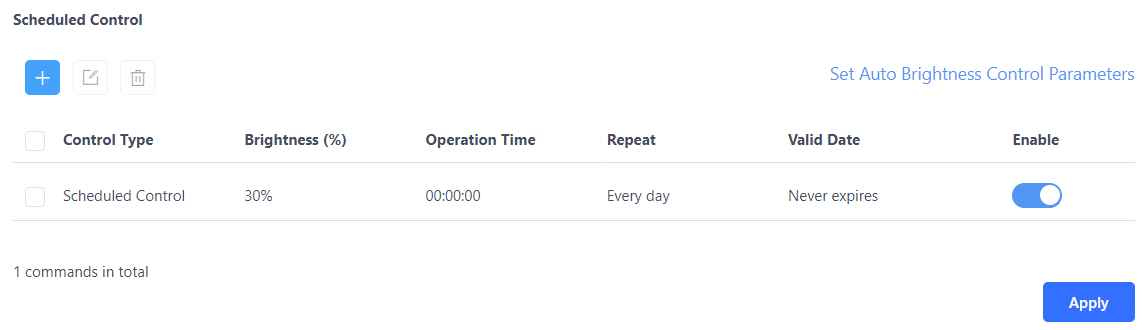
- Scheduled Control: The screen brightness within the specified
time range is the brightness you set.
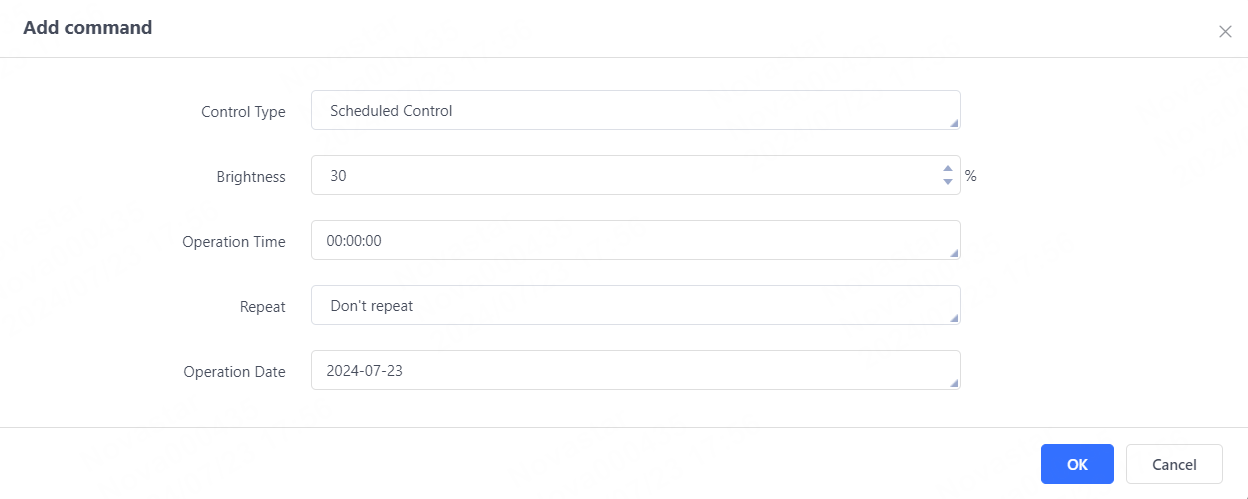
- Auto Control: The screen brightness within the specified time
range changes automatically according to the brightness mapping table.
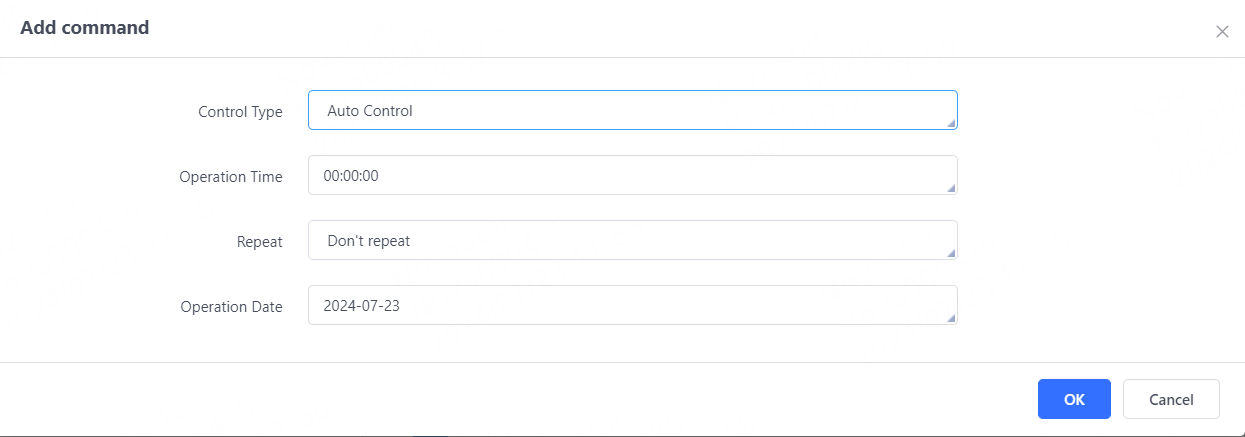
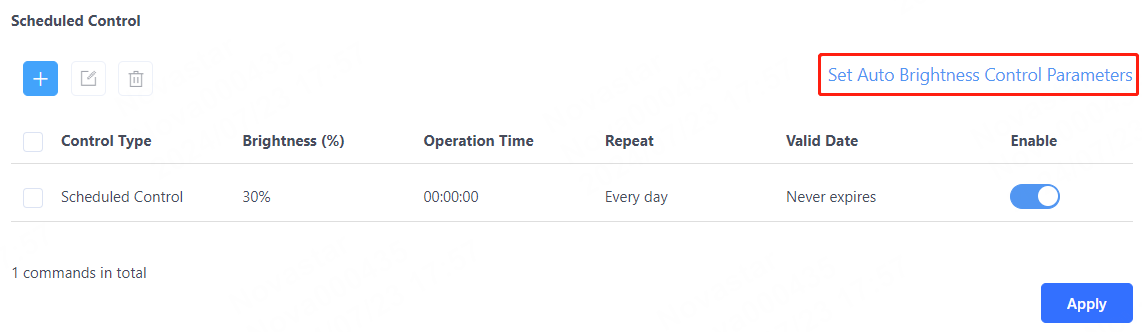
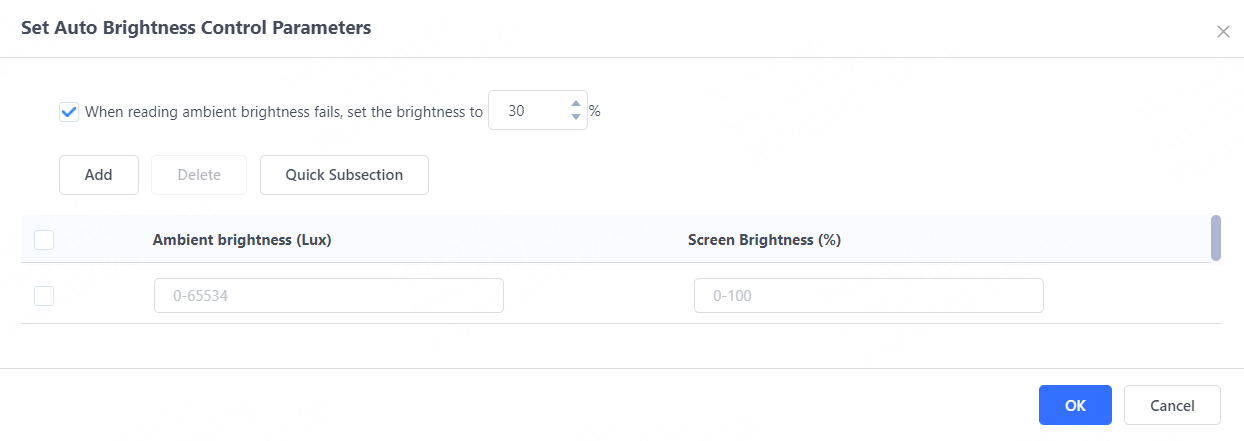
To add an automatic control command for brightness control, set the automatic brightness control parameters, namely, the relationship between the ambient brightness and screen brightness.
- Click Set Auto Brightness Control
Parameters.
- Click Add to set the relationship between
the ambient brightness and screen brightness.
You can also click Quick Subsection to quickly configure the mapping relationship of ambient brightness.
- Scheduled Control: The screen brightness within the specified
time range is the brightness you set.
- Real-time control: Adjust the screen brightness by dragging the slider
or entering a number and then click Apply.