Power Control
Scenarios
Remotely turn on or off the screen power and schedule power control.
Related Information
- Allows for screen power control through board power and multifunction card power
configuration.
- Board power: The power is controlled via the relay on the player.
- Multi-function card: The power is controlled via the relay on the multi-function card.
- When the power switch is turned on, the relay operates and the circuit is connected. When the power switch is turned off, the relay releases and the circuit is disconnected.
Operating Procedure
- From the menu bar, choose Control.
- Click Power Control.
- On the left of the page, select the target online player.
- Do any of the following as needed.
- Real-time control: Turn on Screen Power and click
Apply.
Figure 1. Real-time screen power control 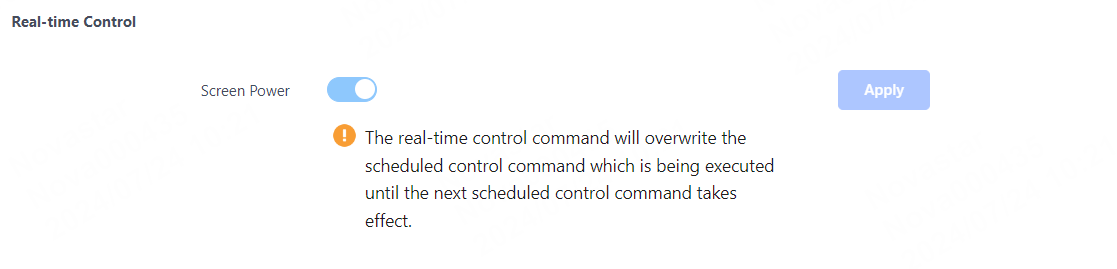
- Scheduled control: In the Scheduled Control area,
click
 , set the command parameters, click OK, and
then click Apply.
, set the command parameters, click OK, and
then click Apply.Figure 2. Scheduled screen power control 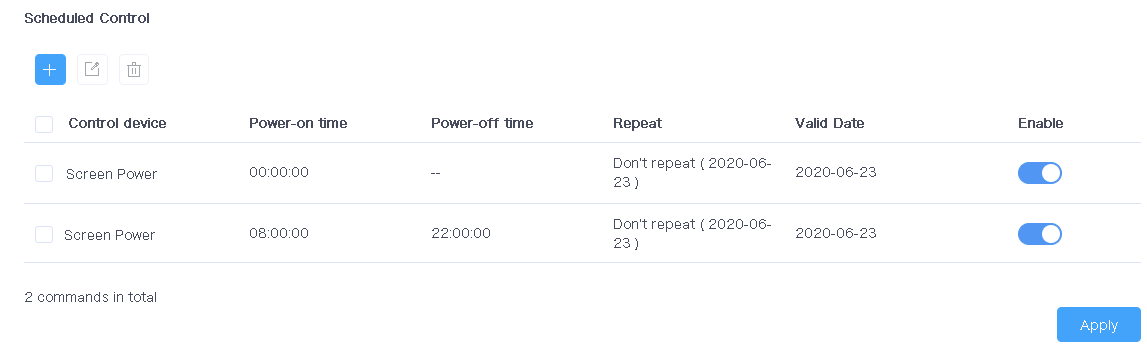
- Real-time control: Turn on Screen Power and click
Apply.