Playback Management
Scenarios
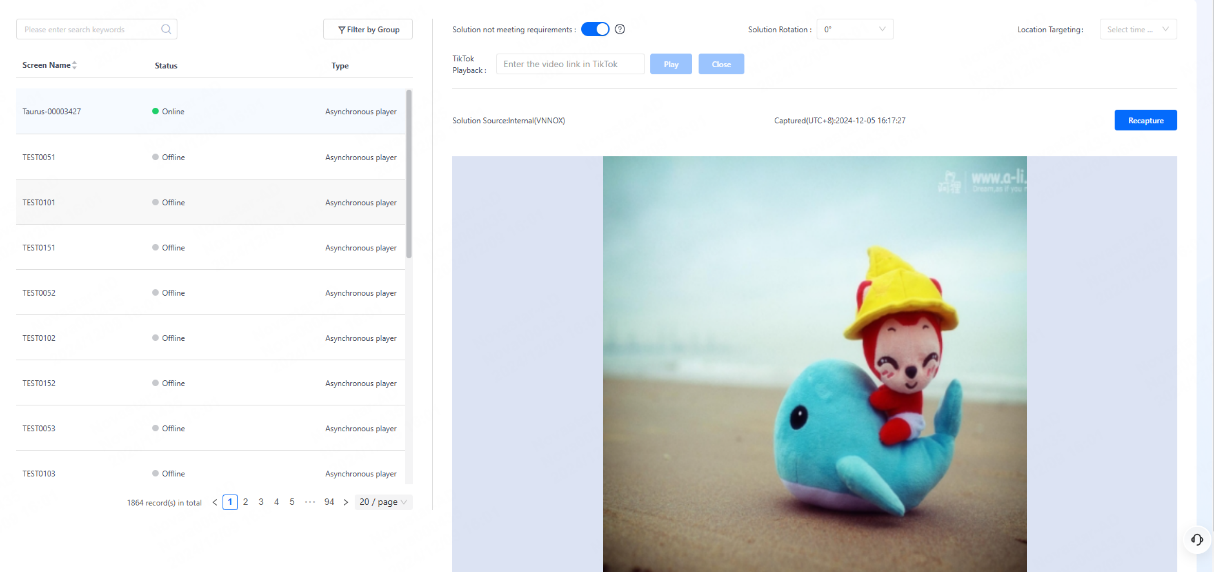
Capture the screenshot of the content being played on the screen to check whether the playback is normal.
Operating Procedure
- From the menu bar, choose Control.
- Click Playback Management.
- On the left of the page, select the target online player.
- Enable/Disable location targeting as needed.
- Enable: The solutions specified for location targeting will be played first when the screen is within the target areas.
- Disable: Only common solutions will be played.
- (Optional) Turn on/off Solution Not Meeting Requirements and specify a rotation angle (0°/90°/180°/270°) for the solution.
- Click Recapture to capture a screenshot of the playing content.
Note:Turning on Solution Not Meeting Requirements allows device to automatically detect media that exceed the specified limits, thereby preventing the necessity of returning the device due to user overuse.