Synchronous Playback
Scenarios
Turn on or off the synchronous playback.
Related Information
When synchronous playback is turned on, playing the same content on different screens at the same time can be realized if the time of the players is in sync and they are playing the same content.
Operating Procedure
Configure Synchronous Playback
- From the menu bar, choose Control.
- Click Synchronous Playback.
- On the left of the page, select the target online player.
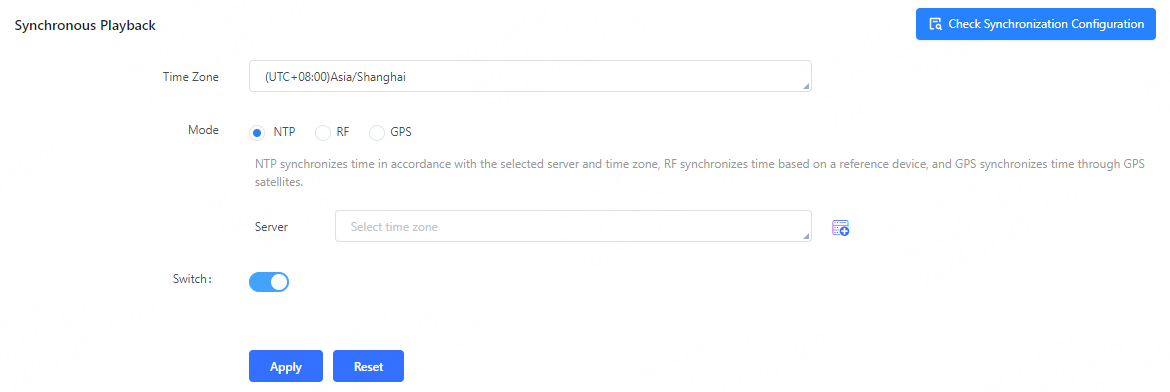
- Select a time synchronization method as needed.
- Turn on or off synchronous playback and click Apply.
Check Synchronization Configuration
- From the menu bar, choose Control.
- Click Synchronous Playback.
- On the left of the page, select the target online player.
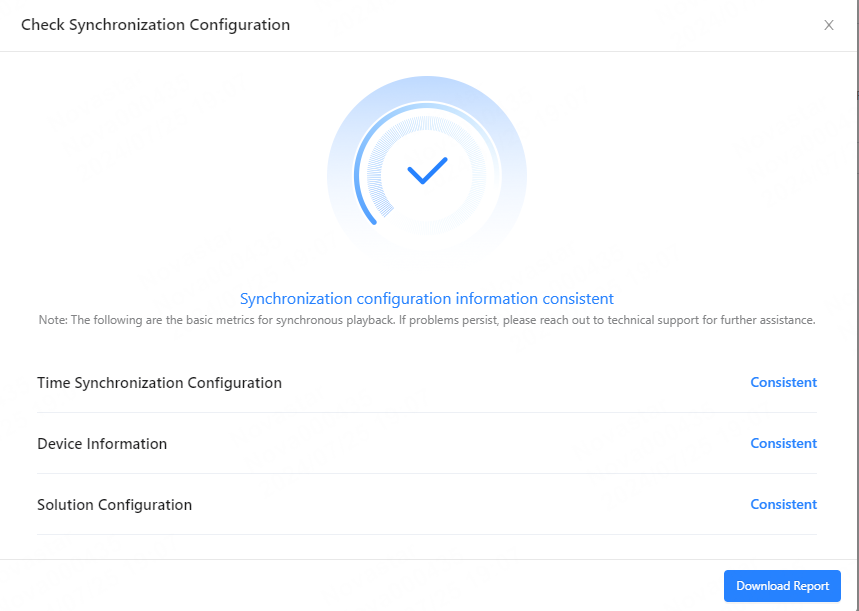
- Click Check Synchronization Configuration at the upper right. In the
Check Synchronization Configuration window that
appears, ensure that the configurations of time synchronization, device
information and solution configuration are consistent. After completing the
inspection, click Download Report at the lower right to
view the inspection report.
Note:Checking synchronization configuration only verifies basic metric information. If issues persist, please reach out to NovaStar's technical support team for further assistance.