Video Source Switching
Scenarios
Switch between video sources manually or schedule video source switching.
Related Information
- Internal video source: The content stored in the device
- External video source: The content input from the HDMI connector on the device
Operating Procedure
- From the menu bar, choose Control.
- Click Video Source Switching.
- On the left of the page, select the target online player.
- Do any of the following as needed. (The parameters on this page may vary across different types
of devices, and this chapter uses the Taurus as an example.)
- Real-time control: Select Internal input source
or External input source and then click
Apply.
Figure 1. Real-time video source switching 
- Scheduled Control: In the Scheduled Control area,
click
 , set command parameters, click OK and then
click Apply.
, set command parameters, click OK and then
click Apply.Figure 2. Scheduled video source switching 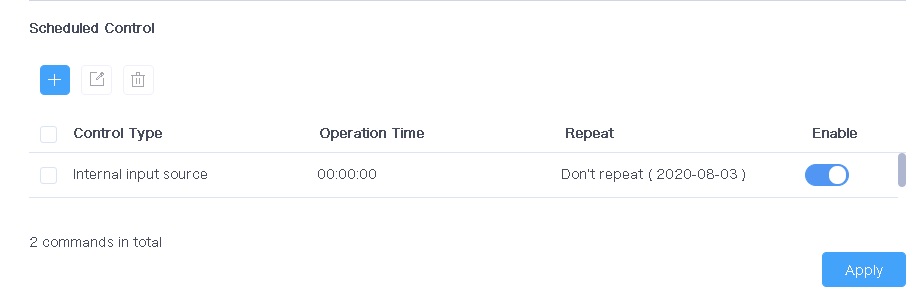
- Real-time control: Select Internal input source
or External input source and then click
Apply.