Screen Status Control
Scenarios
Set the screen status manually or control the display status as scheduled.
Related Information
When the screen status is blackout, the brightness of the screen is decreased to 0% and the power is not turned off.
Operating Procedure
- From the menu bar, choose Control.
- Click Screen Status Control.
- On the left of the page, select the target online player.
- Do any of the following as needed.
- Real-time control: Select Normal or
Blackout and click
Apply.
Figure 1. Real-time screen status control 
- Scheduled control: In the Scheduled Control area,
click
 , set the command parameters, click OK, and
then click Apply.
, set the command parameters, click OK, and
then click Apply.Figure 2. Scheduled screen status control 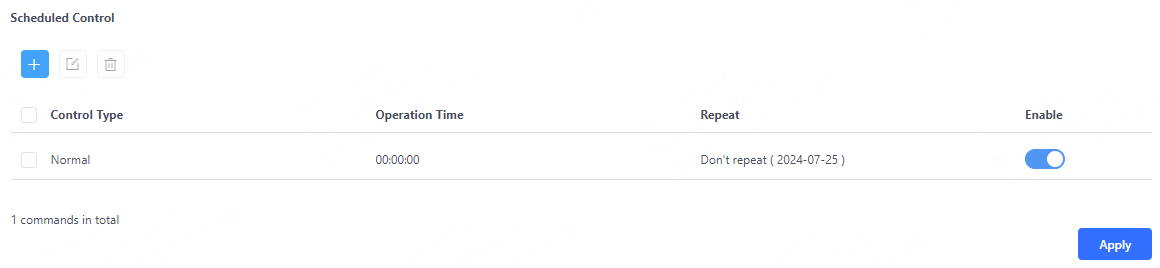
- Real-time control: Select Normal or
Blackout and click
Apply.